
Filters are one of the most appreciated conveniences in an online store: color, size, brand, price, availability. For shoppers they reduce the effort of choosing. For those who do SEO they are also one of the most common sources of problems, because every combination of filters can generate a new address. This guide explains what happens, which tools exist to handle it and how to choose with judgment.
What they are: filters, facets and sorting
In online stores the word «filter» means different things. Telling them apart helps decide what to index and what not.
- Facets (attribute filters): narrow products by a characteristic, such as brand, color, size or material. They can be combined with each other and are the heart of faceted navigation.
- Range filters: price, weight, capacity. The combinations are almost infinite and rarely match a real search.
- Sorting: doesn’t change the products shown, only the order (price ascending, new arrivals). For Google they are a copy of the same page.
- Internal search: the user types a free word. It generates an unlimited number of addresses and usually shouldn’t be indexed.
- Pagination: pages 2, 3, 4 of the same selection. It isn’t a filter, but it multiplies addresses in the same way.
The way the address is built also changes: with parameters (?colore=blu), with a clean path (/scarpe/blu/) or with JavaScript, without changing the address. The tools you need depend on the chosen method.
Why filters create an SEO problem
Faceted navigation (also called faceted search) is the system of filters that lets you narrow a list of products by combining several criteria. On a «running shoes» category you can choose gender, brand, color, size and price range, in any order.
The critical point is technical. In many stores, each choice changes the page address, for example by adding parameters such as ?colore=blu&taglia=42. If there are five filters and each has about ten values, the possible combinations grow much faster than the number of products. A catalog of a few hundred items can thus expose tens of thousands of addresses.
This leads to three concrete consequences:
- Wasted crawling. Google has a limited time to devote to each site. If a substantial part goes to nearly identical pages, the important ones are visited less often.
- Duplicate or near-duplicate content. The same selection of products can appear under different addresses, just because the filters are applied in a different order.
- Dispersed signals. Internal links and, when present, external links are spread across several versions of the same page instead of strengthening just one.
None of this necessarily becomes a serious problem: it depends on the size of the catalog, the platform and how the filters are built. On a small site with few filters the impact can be negligible. On large catalogs it is one of the first things to check in a technical site audit. If you are still choosing the platform, you’ll find a comparison in PrestaShop vs Shopify: SEO differences for those selling online.
Which filters deserve to be indexed
Before choosing a technical tool you need a decision on substance: which combinations of filters can be pages to be found on Google, and which cannot.
The useful question is: does anyone really search for this combination? «Women’s running shoes» is a real search. «Light blue women’s running shoes size 38.5 sorted by ascending price» almost certainly isn’t.
In practice, a filter is a good candidate for indexing when:
- it matches a way people search for the product (brand, type, material, use);
- it returns a sufficient set of products that is stable over time;
- it can have its own title, introductory text and address, without being a copy of the parent category.
A filter usually shouldn’t be indexed when:
- it only changes the order of results (price ascending, newest, best-selling);
- it concerns attributes of little search interest, or that change constantly, such as immediate availability;
- it is a combination of several filters with no demand of its own;
- it produces few results or none.
To verify demand you don’t necessarily need paid tools: you can start from Google Search Console data, from on-site searches and from Google’s suggestions as you type. They are signals, not certainties, but they tell you where to begin.
The tools available, and what they really do
Once you have decided which pages should exist for Google and which shouldn’t, you choose how to communicate it. The main tools are four, and each has limits worth knowing.
The canonical address (canonical tag)
The canonical tells Google which, among several similar pages, is the version to consider the main one. For filters it is often used to point to the parent category.
It should be remembered that it is a suggestion, not a command. Google can ignore it if the pages are too different from each other or if the signals contradict each other. It also doesn’t reduce crawling: Google still has to visit the page to read the canonical. It serves to consolidate signals, not to save crawl resources.
The noindex tag
Noindex asks not to include the page in results. It is firmer than the canonical, but here too the page must be crawled for Google to read it. It should be used carefully on combinations that must not appear, remembering not to mix it with a canonical pointing elsewhere: they are signals that say different things and can create ambiguity.
The robots.txt file
Robots.txt prevents crawling, not indexing. It is the right tool when the problem is wasted crawling on parameters with no value, such as sorting and session identifiers.
It has, however, an important side effect: if you block a page, Google can’t read its canonical or its noindex. A blocked address can still appear in results, perhaps without a description, if it receives links from other pages. For this reason it isn’t a good idea to block with robots.txt the pages you are trying to exclude with a noindex.
How the addresses are built
The most solid solution, when possible, is to prevent the problem at the root:
- use clean addresses, without parameters, for the combinations you want to index (for example
/scarpe-da-corsa/donna/); - keep a fixed order of parameters, so the same selection doesn’t generate different addresses;
- don’t create followable internal links to useless combinations, for example by loading filters with JavaScript without
<a href>links to addresses that must not be visited.
In the past there was a Search Console tool for managing URL parameters, but Google has retired it: today you can no longer count on it.
Comparison between the methods
Each tool solves one part of the problem and leaves another uncovered. This table summarizes the differences.
| Method | Does it prevent crawling? | Does it prevent indexing? | When to use it | Main limit |
|---|---|---|---|---|
| Canonical | No | No: it suggests the main page | Combinations useful to the user but duplicated | It is a suggestion, Google can ignore it |
| Noindex | No: the page must be crawled to read it | Yes | Pages to exclude but still reachable | Doesn’t save crawling |
| Robots.txt | Yes | No: the address can still appear | Parameters with no value, such as sorting | Google doesn’t read canonical and noindex of blocked pages |
| Clean addresses and controlled links | Reduces discovery | Depends on the page | Combinations to index, and prevention | Requires changes to the platform |
No method is enough on its own: usually two or three are combined, assigning them to the types of filter described above.
How to set them up without blocking useful pages
A three-step criterion, to adapt to the platform you use.
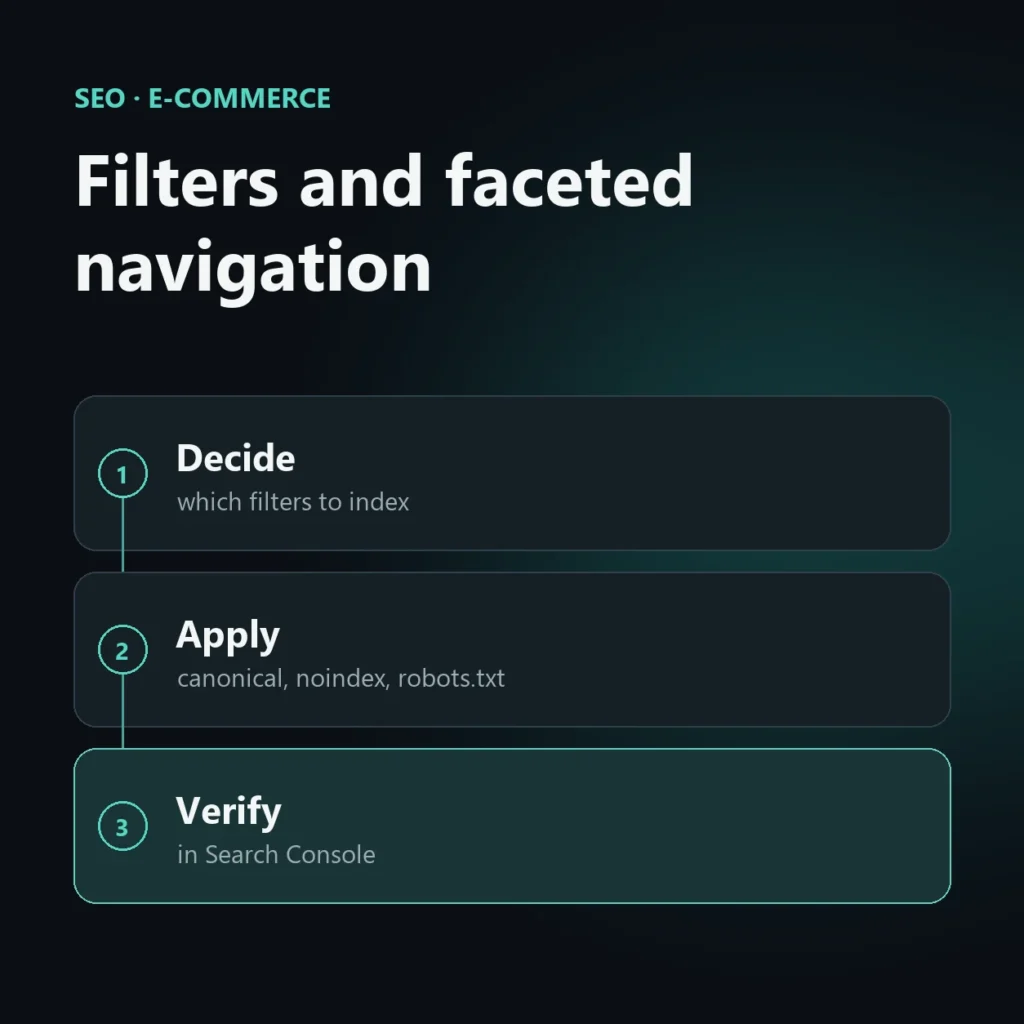
1. Decide. Make a list of the site’s filters and divide them into three groups: to index (with real demand), to consolidate onto the parent category (useful to the user but with no search value), to not let be crawled at all (sorting, session parameters, tracking).
2. Apply. Each group has its own treatment, in general:
- to index: clean address, canonical to itself, its own title and text, included in the sitemap, linked from the navigation;
- to consolidate: canonical to the parent category, or noindex if you don’t want it to appear, but still reachable by the user;
- to not crawl: rules in robots.txt, and internal links that don’t point to those addresses.
The behavior of these tools depends on the platform and the extensions installed. Some themes and plugins generate canonical and noindex on their own, and sometimes they do it differently from what you expect: it is worth checking what the code really produces, not just what the documentation says.
3. Verify. After each change:
- open a few filtered pages and check canonical and meta robots in the source code;
- use Search Console’s URL inspection tool to see which canonical Google chose;
- look in the pages report at how many addresses with parameters are excluded or indexed, and whether the number changes in the following weeks;
- run a crawl of the site with a crawling program (Screaming Frog or similar) to count the addresses reachable from internal links.
Changes are not immediate: Google rechecks pages on its own schedule, so it takes a few weeks to see the effect.
Common mistakes
- Blocking everything in robots.txt. You lose the possibility of indexing the combinations that had value, and Google can’t read the instructions on blocked pages.
- Canonicals that always point to the parent category, even for filters with real demand. This gives up pages that could rank for specific searches.
- Canonicals pointing to pages different from those the user sees, for example to an address that doesn’t load the same products. Google tends to ignore them.
- Using noindex together with a canonical to another page. The two signals contradict each other.
- Forgetting pagination. Pages 2, 3, 4 of a filtered category also multiply addresses, and must be included in the reasoning.
- Leaving filtered pages with no results indexed, which produce empty content and can be treated as errors.
- Trusting the platform’s default setup without checking what the site returns after installing themes and plugins.
- Changing everything at once. If you don’t isolate changes you can’t tell what worked. Better to proceed by groups of filters and measure.
An example of a decision
Take a sportswear store with the «Running shoes» category. The filters are gender, brand, color, size, price and sorting.
- Gender and brand: they have real demand («women’s running shoes», «running shoes [brand]»). They become pages with a clean address, introductory text and a canonical to themselves.
- Color: it depends on the product. For some categories it may have demand, for others not. You decide case by case by looking at search data.
- Size and price: useful to the user, but rarely searched for as pages. They remain accessible, with a canonical to the category or noindex.
- Sorting: it should be neither indexed nor crawled. An entry in robots.txt is appropriate.
This scheme is not a rule valid for everyone: it changes with the catalog and the market. The method, instead, is the same.
Frequently asked questions
Should filters always be blocked in robots.txt?
No. Robots.txt suits parameters with no value, such as sorting. For filters on which you want to use canonical or noindex, blocking them prevents Google from reading those instructions.
Better canonical or noindex for filtered pages?
It depends on the objective. The canonical suggests which page to consider the main one and consolidates signals; noindex asks not to show the page in results. They must not be combined in a contradictory way.
How many filtered pages is it worth indexing?
Only those with real demand and a stable set of products. There is no right number in absolute terms.
How long does it take to see results?
It usually takes a few weeks for Google to recheck the pages. That is why it is best to verify in Search Console and compare the data before and after the change.
In short
Filters help shoppers, but without rules they create thousands of pages that are of little use to Google. The work boils down to three moves: decide which combinations have real demand, apply the right tool to each group and verify what really happens in Search Console. If you want an opinion on your store, you can start from a check of the structure of the filters and of the pages Google is crawling: it is part of the work of e-commerce SEO.

SEO, GEO and AEO specialist
Related articles
 SEOContent Gap Analysis: What Competitors Write and You Don’tOctober 30, 2026
 SEOBacklink Gap: Analyzing Competitor LinksOctober 30, 2026
 SEOHow to Find Your Real SEO CompetitorsOctober 30, 2026
Explore by topic